Icon of program: DVD Flick

DVD Flick for Windows

  • Free
  • 3.5
    507
  • 292.7K
  • V1.307.0.738

Comprehensive DVD Authoring Tool for Windows

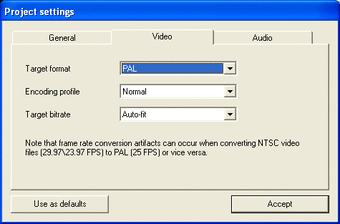
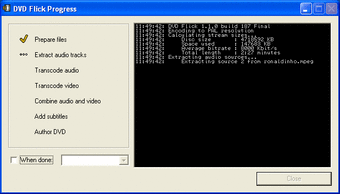
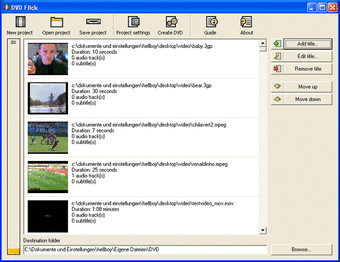
DVD Flick is a free multimedia application designed for Windows that focuses on DVD authoring. This program allows users to convert various video formats into DVD-compatible files, making it easy to create playable DVDs for home use. Its user-friendly interface simplifies the process of adding video files, customizing menus, and adjusting settings before burning the final product.

Top Recommended Alternative

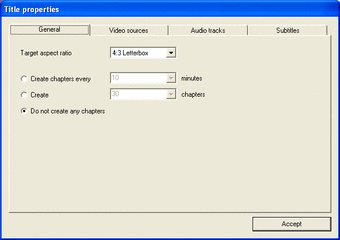
In addition to its core functionality, DVD Flick supports a wide range of video formats and offers options for adding subtitles and audio tracks. The software is suitable for both novice users and those with more experience in video production. With its robust features and no cost associated, DVD Flick stands out as a reliable choice for anyone looking to create DVDs efficiently.


 0/5

App specs

  • License

    Free

  • Version

    1.307.0.738
  • Latest update

  • Platform

    Windows

  • OS

    Windows 2000

  • Language

    English

  • Downloads

    292.7K

    Last month's downloads

    • 392
  • Size

    1.91 MB

  • Developer

Program available in other languages


Icon of program: DVD Flick

DVD Flick for PC

  • Free
  • 3.5
    507
  • 292.7K
  • V1.307.0.738

User reviews about DVD Flick

3.5

4 reviews

Add review

Main reviews for you

  • Anonymous user

    Makes Great DVD. This is the best DVD burner I've ever used. Makes better DVD than some commercial burning software. BESIDES you can choose the preferred burning speed within the 4x-16x range, as far as I concern 8-10x should be fine - burns DVD reasonably fast. All pros, no cons from me.

  • Anonymous user

    Gets the job done WELL. I have tried for so long to find software like this. All others before have failed. This WORKS, if you have time of course. I've realized that for how ever long your movie is, it normally takes about that long to make a dvd of it. But hey, pair this with Bittorrent, and watch out! Pros: Quality, Simplicity, FREE Cons: Takes a while

  • Anonymous user

    Promising, but not quite there. This program is nearly there, but unfortunately, it bombs out when I try to record to a DVD-RW. Unfortunately, this is essential for me, so I have to use Sothink's DVD Movie Maker.Of course, this may be my setup, but other DVD burning software doesnt have this problem, I think its the software.Other than that, for the price, its great. Give it a try. Pros: Does most things well, except... Cons: Doesnt handle DVD-RW (for me anyway)


  • Anonymous user

    Simple and clear! . I like this program. It's just I looked for so long. It makes a DVD-format from several movies. It doesn't compress, but has some nice tiny menu-items. From all the programs I tried, this one stands out the most. Pros: Simple and neat interfaceVery intuitive Cons: Not very fast (depends on your CPU though)

More

You may also like

Alternatives to DVD Flick

Explore Apps

Latest articles

Laws concerning the use of this software vary from country to country. We do not encourage or condone the use of this program if it is in violation of these laws.
Softonic

Is DVD Flick safe?

100/100

Score result: Clean

This file passed a comprehensive security scan using VirusTotal technology. It is safe to download.

  • Virus free
  • Spyware free
  • Malware free
  • Verified by Security Partners

    VirusTotal logo

Scan Info

Last scan
Wednesday, July 3, 2024
Scan provider
VirusTotal · Full report

File Integrity

File
DVD_Flick_V1.307.0.738.msi
SHA256
f4afba646166999d6090b5beddde546450262dc595dddeb62132da70f70d14ca
SHA1
3209574e09ec235b2613570e6d7d8d5058a64971

Softonic security commitment

DVD Flick has been thoroughly scanned by our advanced security systems and verified by industry-leading partners. This file comes from the official developer and has passed all our security checks, showing no signs of viruses, malware, or spyware. For more information, visit our Security and Trust Center